Tuesday, 15 April 2025

How to drop Oracle 19C RAC Database step by step process

 Dear All,


In this post i am sharing step by step process to drop Oracle 19C RAC database.

Note : these steps only for demo purpose only****


srvctl status database -d prod


[oracle@prodnode1 bin]$ srvctl stop database -d prod

[oracle@prodnode1 bin]$ sqlplus / as sysdba


SQL*Plus: Release 19.0.0.0.0 - Production on Tue Apr 15 17:11:31 2025

Version 19.3.0.0.0


Copyright (c) 1982, 2019, Oracle.  All rights reserved.


Connected to an idle instance.


SQL> startup mount exclusive restrict;

ORACLE instance started.


Total System Global Area 2533358728 bytes

Fixed Size                  8899720 bytes

Variable Size             637534208 bytes

Database Buffers         1879048192 bytes

Redo Buffers                7876608 bytes

Database mounted.

SQL> drop database;

drop database

*

ERROR at line 1:

ORA-01586: database must be mounted EXCLUSIVE and not open for this operation


SQL> shut abort

ORACLE instance shut down.

SQL> startup mount restrict restrict;

SP2-0714: invalid combination of STARTUP options

SQL> startup mount restrict;

ORACLE instance started.


Total System Global Area 2533358728 bytes

Fixed Size                  8899720 bytes

Variable Size             637534208 bytes

Database Buffers         1879048192 bytes

Redo Buffers                7876608 bytes

Database mounted.

SQL> drop database;

drop database

*

ERROR at line 1:

ORA-01586: database must be mounted EXCLUSIVE and not open for this operation


SQL> shut abort

ORACLE instance shut down.

SQL> exit

Disconnected from Oracle Database 19c Enterprise Edition Release 19.0.0.0.0 - Production

Version 19.3.0.0.0


[oracle@prodnode1 bin]$ sqlplus / as sysdba


SQL*Plus: Release 19.0.0.0.0 - Production on Tue Apr 15 17:15:00 2025

Version 19.3.0.0.0


Copyright (c) 1982, 2019, Oracle.  All rights reserved.


Connected to an idle instance.


SQL> STARTUP NOMOUNT RESTRICT;

alter database mount;

ORACLE instance started.


Total System Global Area 2533358728 bytes

Fixed Size                  8899720 bytes

Variable Size             637534208 bytes

Database Buffers         1879048192 bytes

Redo Buffers                7876608 bytes

SQL>


Database altered.


SQL> SQL>

SQL>

SQL> drop database;

drop database

*

ERROR at line 1:

ORA-01586: database must be mounted EXCLUSIVE and not open for this operation


SQL> shut abort

ORACLE instance shut down.

SQL> exit

Disconnected from Oracle Database 19c Enterprise Edition Release 19.0.0.0.0 - Production

Version 19.3.0.0.0

[oracle@prodnode1 bin]$ sqlplus / as sysdba


SQL*Plus: Release 19.0.0.0.0 - Production on Tue Apr 15 17:17:01 2025

Version 19.3.0.0.0


Copyright (c) 1982, 2019, Oracle.  All rights reserved.


Connected to an idle instance.


SQL> startup mount restrict;

ORACLE instance started.


Total System Global Area 2533358728 bytes

Fixed Size                  8899720 bytes

Variable Size             637534208 bytes

Database Buffers         1879048192 bytes

Redo Buffers                7876608 bytes

Database mounted.

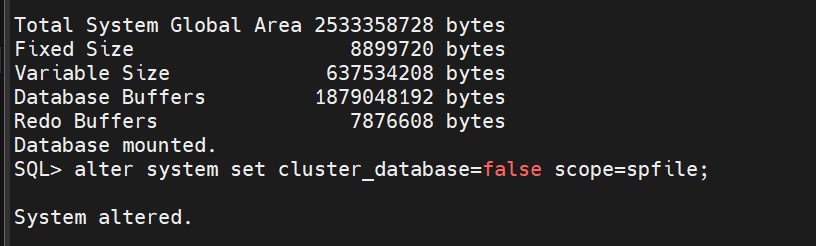
SQL> alter system set cluster_database=false scope=spfile;


System altered.


SQL> drop database;

drop database

*

ERROR at line 1:

ORA-01586: database must be mounted EXCLUSIVE and not open for this operation


SQL> shut abort

ORACLE instance shut down.

SQL> startup mount restrict exclusive;

ORACLE instance started.


Total System Global Area 2533358728 bytes

Fixed Size                  8899720 bytes

Variable Size             637534208 bytes

Database Buffers         1879048192 bytes

Redo Buffers                7876608 bytes

Database mounted.

SQL> drop database;


Database dropped.


Disconnected from Oracle Database 19c Enterprise Edition Release 19.0.0.0.0 - Production

Version 19.3.0.0.0

SQL>


Thanks,
Srini

Saturday, 22 March 2025

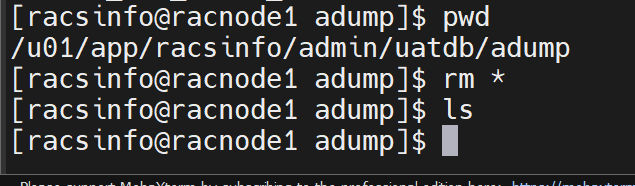
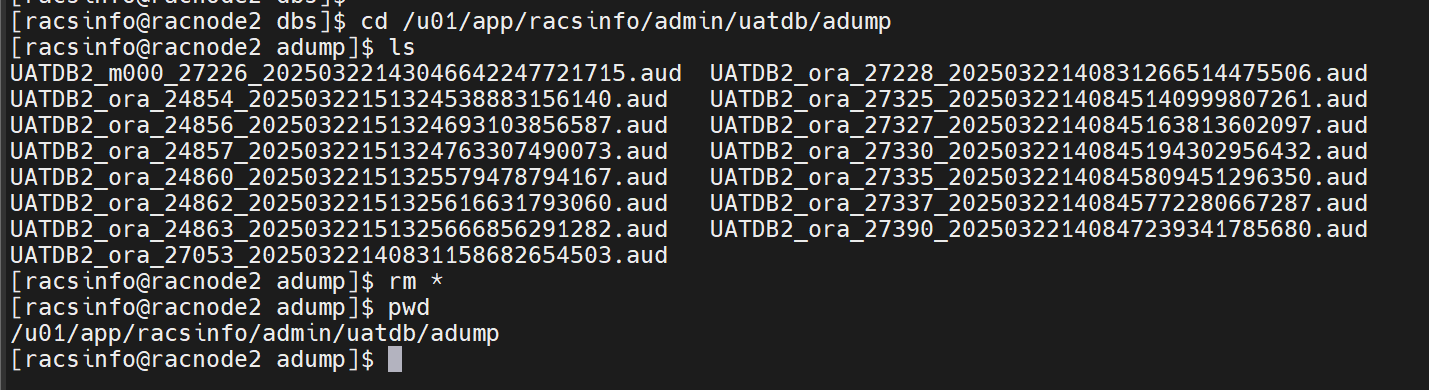
How to Delete 2 RAC Databases step by step process on OEL 7

 Dear All,


In this post i am sharing how to delete a unused 2 node RAC Database remove from the database server.

Environment  :: 

racnode1 ::  db 1st node ( 2 databases are running - i am removing on db UATDB1) 

racnode2 ::  db 2nd node ( 2 databases are running - i am removing on db UATDB2) 


drop/delete  a 2 node rac database >>

> take backup before drop the database and keep for some time .


> check all the files 


select name from v$datafile;

select name from v$controlfile;

select member from v$logfile;


> disable any schedule jobs on OEM /Cron

[racsinfo@racnode1 dbs]$ crontab -l

no crontab for racsinfo

[racsinfo@racnode1 dbs]$


> alter system set cluster_database=FALSE scope=spfile sid='*';


> check the db cluster parameters 


srvctl status database -d uatdb

srvctl config database -d uatdb


srvctl stop database -d uatdb

sqlplus / as sysdba

startup mount exclusive restrict;

show parameter cluster 


select logins,instance_name,status from gv$instance; 

drop database;


>> remove the configuration from the cluster 


srvctl config database -d uatdb

srvctl remove database -d uatdb

srvctl config database -d uatdb


## Remove the directories if not required like archivelog directories etc.

##Cross verify if all the associated datafiles, controlfiles and online redologs 

are removed

## Remove the entry of the database from /etc/oratab

## crosscheck and cleanup all the old dumps or any log files

##Modify/drop any of the scripts used for this database in crontab


check the database instance  status 


cluster status :  ni uat db resource .


============================ ================================

extra steps if you want to remove including homes ...

srvctl stop instance -db db_unique_name -node node_name

srvctl relocate server -servers "server_name_list" -serverpool Free


srvctl status listener -l LISTENER

srvctl disable listener -l LISTENER -n racnode1

srvctl stop listener -l LISTENER -n racnode1


[grid@racnode1 ~]$ olsnodes -s -t

racnode1        Active  Unpinned

racnode2        Active  Unpinned

[grid@racnode1 ~]$


Thanks,
Srini

Thursday, 20 March 2025

How to remove/delete a used disk from ASM DiskGroup Oracle 19c RAC

 Dear All,

In this post i am sharing how to remove safely a used disk from ASM DiskGroup step by step process.


How to remove/delete a used disk from ASM DiskGroup Oracle 19c RAC

without impacting the data requires careful planning to ensure data integrity. 

Notes / Points to remember :: 

>> Normal or High Redundancy ASM will automatically rebalance the data across other disks.

>> If the disk group is External Redundancy, make sure there’s enough free space.

>>  free_mb should be greater than the space occupied by the disk you plan to drop.

>> requried_mirror_feee_mb should be less than the free_mb to ensure the proper mirroring.

>> Power Limit option Controls the speed of rebalancing the data as and when remove / add disks to DiskGroup in ASM. 

ALTER DISKGROUP DATA REBALANCE POWER 1;

A value between 1-11 is recommended (higher values consume more resources).

we can use up to 0-1024 value***** its depends on your system resource.


Example :  

we have an ASM disk group named '+DATA' with multiple disks, 

and we need to drop one disk ('DS8') safely.

Before removing a disk Need to check the DiskGroup status and used/free space.

How to Check the existing disks in the DiskGroup

set lines 200

col name format a20

col path format a28

col total_mb format 99999

col free_mb format 99999


SQL> SELECT GROUP_NUMBER, NAME, PATH, TOTAL_MB, FREE_MB, HEADER_STATUS, MOUNT_STATUS, STATE FROM V$ASM_DISK WHERE GROUP_NUMBER = (SELECT GROUP_NUMBER FROM V$ASM_DISKGROUP WHERE NAME = 'DATA');


GROUP_NUMBER NAME                 PATH                         TOTAL_MB FREE_MB HEADER_STATU MOUNT_S STATE

------------ -------------------- ---------------------------- -------- ------- ------------ ------- --------

           2 DS8                  /dev/oracleasm/disks/DS8         1020     848 MEMBER       CACHED  NORMAL

           2 DATA_0000            /dev/oracleasm/disks/DATADIS    20476   17432 MEMBER       CACHED  NORMAL


Next Check Redundancy Type & Disk Rebalancing Power

SQL> SELECT NAME, TYPE, STATE, TOTAL_MB, FREE_MB, REQUIRED_MIRROR_FREE_MB, USABLE_FILE_MB FROM V$ASM_DISKGROUP WHERE NAME = 'DATA';


NAME                 TYPE   STATE       TOTAL_MB FREE_MB REQUIRED_MIRROR_FREE_MB USABLE_FILE_MB

-------------------- ------ ----------- -------- ------- ----------------------- --------------

DATA                 EXTERN MOUNTED        21496   18280                       0          18280


 Make sure there is sufficient free space in the disk group before dropping the disk.

SQL> SELECT NAME, FREE_MB, REQUIRED_MIRROR_FREE_MB FROM V$ASM_DISKGROUP WHERE NAME = 'DATA';


NAME                 FREE_MB REQUIRED_MIRROR_FREE_MB

-------------------- ------- -----------------------

DATA                   18280                       0


Drop the Disk from ASM Disk Group : 

Run the ALTER DISKGROUP DROP DISK command with REBALANCE to ensure data is redistributed across remaining disks.

SQL> SELECT GROUP_NUMBER, NAME, PATH, TOTAL_MB, FREE_MB, HEADER_STATUS, MOUNT_STATUS, STATE FROM V$ASM_DISK WHERE GROUP_NUMBER = (SELECT GROUP_NUMBER FROM V$ASM_DISKGROUP WHERE NAME = 'DATA');


GROUP_NUMBER NAME                 PATH                         TOTAL_MB FREE_MB HEADER_STATU MOUNT_S STATE

------------ -------------------- ---------------------------- -------- ------- ------------ ------- --------

           2 DATA_0000            /dev/oracleasm/disks/DATADIS    20476   17272 MEMBER       CACHED  NORMAL

                                  K

extra /alternative options : 

ALTER DISKGROUP DATA_DG DROP DISK DS1;

DROP DISKGROUP DATA_DG INCLUDING CONTENTS;


Monitor the Rebalancing Process

Rebalancing ensures that the data is safely redistributed before the disk is removed.

Parallelly Check the rebalancing status

SQL> SELECT GROUP_NUMBER, OPERATION, STATE, EST_MINUTES FROM V$ASM_OPERATION;

no rows selected


Note : we have to Wait for the 'STATE' to show 'COMPLETED'.

Cross Check the DiskGroup After Rebalancing

SQL> SQL> SELECT NAME, TOTAL_MB, FREE_MB FROM V$ASM_DISKGROUP WHERE NAME = 'DATA';

NAME                 TOTAL_MB FREE_MB

-------------------- -------- -------

DATA                    20476   17272


Note: Ensure there is no data loss and the disk group is still functioning properly.


Confirm Disk Removal from ASM

After rebalancing completes, verify that the disk has been removed.


SQL> SELECT NAME, PATH FROM V$ASM_DISK WHERE GROUP_NUMBER = (SELECT GROUP_NUMBER FROM V$ASM_DISKGROUP WHERE NAME = 'DATA');


NAME                 PATH

-------------------- ----------------------------

DATA_0000            /dev/oracleasm/disks/DATADISK


Note: If the disk is no longer listed, it has been successfully removed.

Decommission the Physical Disk:: its an optional step 

If the disk is no longer needed for ASM, you can manually remove it.

Check Physical Disk Name : ready to use 2nd time ... 

SELECT DISK_NUMBER, NAME, PATH FROM V$ASM_DISK WHERE HEADER_STATUS = 'FORMER';

SQL> SELECT DISK_NUMBER, NAME, PATH FROM V$ASM_DISK WHERE HEADER_STATUS = 'FORMER';


DISK_NUMBER NAME                 PATH

----------- -------------------- ----------------------------

          1                      /dev/oracleasm/disks/DS10

          0                      /dev/oracleasm/disks/DS8


>>  disk with HEADER_STATUS 'FORMER' >>it is no longer part of an ASM disk group.


Delete the ASM Header on the Disk if you want to use that for different tasks.

If you plan to reuse the disk for another ASM disk group, clear its ASM metadata:

dd if=/dev/zero of=/dev/sdX bs=1024 count=100 or 

asmcmd afd_label <disk> --init


Remove the Disk from ASM Configuration

oracleasm deletedisk DS8


Verify Database Functionality at Last step ::

After removing the disk, check the database performance and logs to confirm there is no impact:

SQL> SELECT * FROM V$ASM_DISKGROUP WHERE NAME = 'DATA';


GROUP_NUMBER NAME                 SECTOR_SIZE LOGICAL_SECTOR_SIZE BLOCK_SIZE ALLOCATION_UNIT_SIZE STATE       TYPE   TOTAL_MB FREE_MB HOT_USED_MB COLD_USED_MB REQUIRED_MIRROR_FREE_MB USABLE_FILE_MB

------------ -------------------- ----------- ------------------- ---------- -------------------- ----------- ------ -------- ------- ----------- ------------ ----------------------- --------------

OFFLINE_DISKS COMPATIBILITY                                                DATABASE_COMPATIBILITY                                       V     CON_ID

------------- ------------------------------------------------------------ ------------------------------------------------------------ - ----------

           2 DATA                         512                 512       4096              4194304 MOUNTED     EXTERN    20476   17272     0  3204                       0          17272

            0 19.0.0.0.0                                                   10.1.0.0.0                                                   Y    0


Note:  this Lab activity tested in my lab, you can practice in your dev/poc instance before use in the real time business databases / environment.


Thanks,

Srini

Friday, 28 February 2025

EBS R12.1 Cross Platform Migration to Cloud - some Errors and solutions

Dear All,

In this post i am sharing EBS R12.1 Cross Platform Migration to Cloud - some Errors and solutions.

 Issue / Error no 1 :


Error:


Can't locate strict.pm in @INC (@INC contains: /ade/smayer_perl58_main_linux/perl58/bin/Linux/Opt/lib/5.8.3/i686-linux-thread-multi /ade/smayer_perl58_main_linux/perl58/bin/Linux/Opt/lib/5.8.3 /ade/smayer_perl58_main_linux/perl58/bin/Linux/Opt/lib/site_perl/5.8.3/i686-linux-thread-multi /ade/smayer_perl58_main_linux/perl58/bin/Linux/Opt/lib/site_perl/5.8.3 /ade/smayer_perl58_main_linux/perl58/bin/Linux/Opt/lib/site_perl .) at adclonectx.pl line 29.

BEGIN failed--compilation aborted at adclonectx.pl line 29.


Fix:

Set PERL path


export PATH=/apps/TEST/apps/tech_st/10.1.3/perl/bin:$PATH

export PERL5LIB=/apps/TEST/apps/tech_st/10.1.3/perl/bin/perl


Rapid Clone "adpreclone.pl" Fails with "Can't Find Strict.PM" on the Database Tier (Doc ID 1139403.1)


 Issue / Error no 2: 


Error:

g++: /apps/TEST/apps/apps_st/appl/sht/12.0.0/lib/stubs/libstdc++.so: No such file or directory

g++: /apps/TEST/apps/apps_st/appl/sht/12.0.0/lib/stubs/libgcc_s.so.1: No such file or directory

make: *** [/apps/TEST/apps/apps_st/appl/wip/12.0.0/bin/WICMLX] Error 1

Done with link of wip executable 'WICMLX' on Wed Oct 17 03:09:38 PDT 2018


Relink of module "WICMLX" failed.


g++: /apps/TEST/apps/apps_st/appl/sht/12.0.0/lib/stubs/libstdc++.so: No such file or directory

g++: /apps/TEST/apps/apps_st/appl/sht/12.0.0/lib/stubs/libgcc_s.so.1: No such file or directory

make: *** [/apps/TEST/apps/apps_st/appl/wip/12.0.0/bin/WICMLX] Error 1

Done with link of wip executable 'WICMLX' on Wed Oct 17 03:09:38 PDT 2018


Relink of module "WICMLX" failed.


Fix:


-   Login to application node

-   If $SHT_TOP/lib/stubs already exists backup any files in it

      Unzip the stubslib.zip located in $SHT_TOP/lib directory. 

      This will create the stubs/LINUX subdirectory if it doesn't already      exist

-   Move the library files from $SHT_TOP/lib/stubs/LINUX to $SHT_TOP/lib/stubs directory. The files are:

  libstdc++-2.3.2-stub.so

  libstdc++.so

  libstdc++.so.5

  libgcc_s.so.1

  libgcc_s.so.1-2.3.2-stub.so


Relinking WICDOL WICMEX WICMLX after a Windows to Linux migration failed (Doc ID 1425094.1)


  Issue / Error no 3:


Issue:

Errors while executing adlnktools.sh


/usr/lib/libXi.so.6: undefined reference to `__printf_chk@GLIBC_2.3.4'

/usr/lib/libXtst.so.6: undefined reference to `__snprintf_chk@GLIBC_2.3.4'

/usr/lib/libXtst.so.6: undefined reference to `_XEatDataWords'

/usr/lib/libXtst.so.6: undefined reference to `_XGetRequest'

/usr/lib/libXtst.so.6: undefined reference to `__stack_chk_fail@GLIBC_2.4'

/usr/lib/libXi.so.6: undefined reference to `XESetWireToEventCookie'

/usr/lib/libXtst.so.6: undefined reference to `__fprintf_chk@GLIBC_2.3.4'

/usr/lib/libXi.so.6: undefined reference to `XESetCopyEventCookie'


Fix:

Login as root

cd /usr/lib

rm libXtst.so.6

ln -s /usr/X11R6/lib/libXtst.so.6.1 /usr/lib/libXtst.so.6


Oracle Forms Upgrade to 10.1.2.3 fails with error /usr/lib/libXtst.so.6: undefined reference (Doc ID 1120527.1)


Issue 3.2:

/usr/bin/ld: cannot find -ljava


make: *** [/apps/TEST/apps/tech_st/10.1.2/sysman/lib/nmocat] Error 1

make: *** [/apps/TEST/apps/tech_st/10.1.2/sysman/lib/emagtm] Error 1


Fix:

$ find $ORACLE_HOME -name "*libjava*" -exec ls -lart {} \;


replace JRE_LIB_DIR with correct location in


$ORACLE_HOME/sysman/lib/env_sysman.mk


JRE_LIB_DIR=/apps/TEST/apps/tech_st/10.1.2/jdk/jre/lib/i386


ld: 0706-006 Cannot find or open library file: -l java or -l jvm While Relinking In A Cloned Environment (Doc ID 1386496.1)


 Issue / Error no 4:


Errors in manager logfile

Routine AFPCSQ cannot set profile option value for USER_ID. ORACLE error 376 in get_responsibility_data

Cause: get_responsibility_data

 failed due to ORA-00376: file 219 cannot be read at this time

ORA-01110: data file 219: '+DATA/TESTEBS_PHX28F/77508D5

Errors in Database alert log

kkzifr3g: Encountered error ORA-12008

ORA-00376: file 228 cannot be read at this time

ORA-01110: data file 228: '+DATA/TESTEBS_PHX28F/77508D547BC4F995E053164B740A7B54/DATAFILE/a_txn_data01.dbf'

Fix:

Tablespaces are offline

select tablespace_name,status from dba_tablespaces;

alter tablespace APPS_TS_TX_DATA online;


  Issue / Error no 5:


Error:

opmn id=racsebdapp02:6200

    0 of 1 processes started.

ias-instance id=TEST_racsebdapp02.racsebdapp02.racsebsprodap.racsebsprodvc.oraclevcn.com

+++++++++++++++++++++++++++++++++++++++++++++++++++++++++++++++++++++++++

-------------------------------------------------------------------------ias-component/process-type/process-set:

    HTTP_Server/HTTP_Server/HTTP_Server/


Error

--> Process (index=1,uid=530148963,pid=28342)

    failed to start a managed process after the maximum retry limit

    Log:

    /inst/apps/TEST_racsebdapp02/logs/ora/10.1.3/opmn/HTTP_Server~1.log


Error in log file:

apachectl hardstop: httpd (pid ) not running

Kill if any stale processes

rm -fr $INST_TOP/ora/10.1.3/j2ee/oacore/persistence/*

rm -fr $INST_TOP/ora/10.1.3/j2ee/oafm/persistence/*

rm -fr $INST_TOP/ora/10.1.3/j2ee/forms/persistence/*

rm $ORA_CONFIG_HOME/10.1.3/opmn/logs/states/*


Run autoconfig

Make sure mount point is mounted with nolock option(if it is NFS)           

OHS: HTTP_Server Fails to Start Using "opmnctl startall" with Error "mod_oc4j: Error happened while finalizing configuration and OC4J Plugin will not work. Is about to exit" from ORACLE_HOME/Apache/Apache/logs/error_log (Doc ID 2236181.1)


Solution 1:

1. $ORACLE_HOME is located at mount point /app. Mount /app with no lock option to remove NFS locks.

2. Remove or Move $ORACLE_HOME/opmn/logs/states

Start OAS using <ORACLE_HOME>/bin/opmnctl startall


umount -l /apps

vi /etc/fstab

mount /apps

mount /inst


Happy learning ... 


Thanks,

Srini